Discover, stream, andtrack anime — all in one place.
Hikari is an anime app designed purely for Android TV. Browse the AniList catalogue, follow the airing schedule, sync your list, and resolve streams through any addon you point it at — all from your remote.
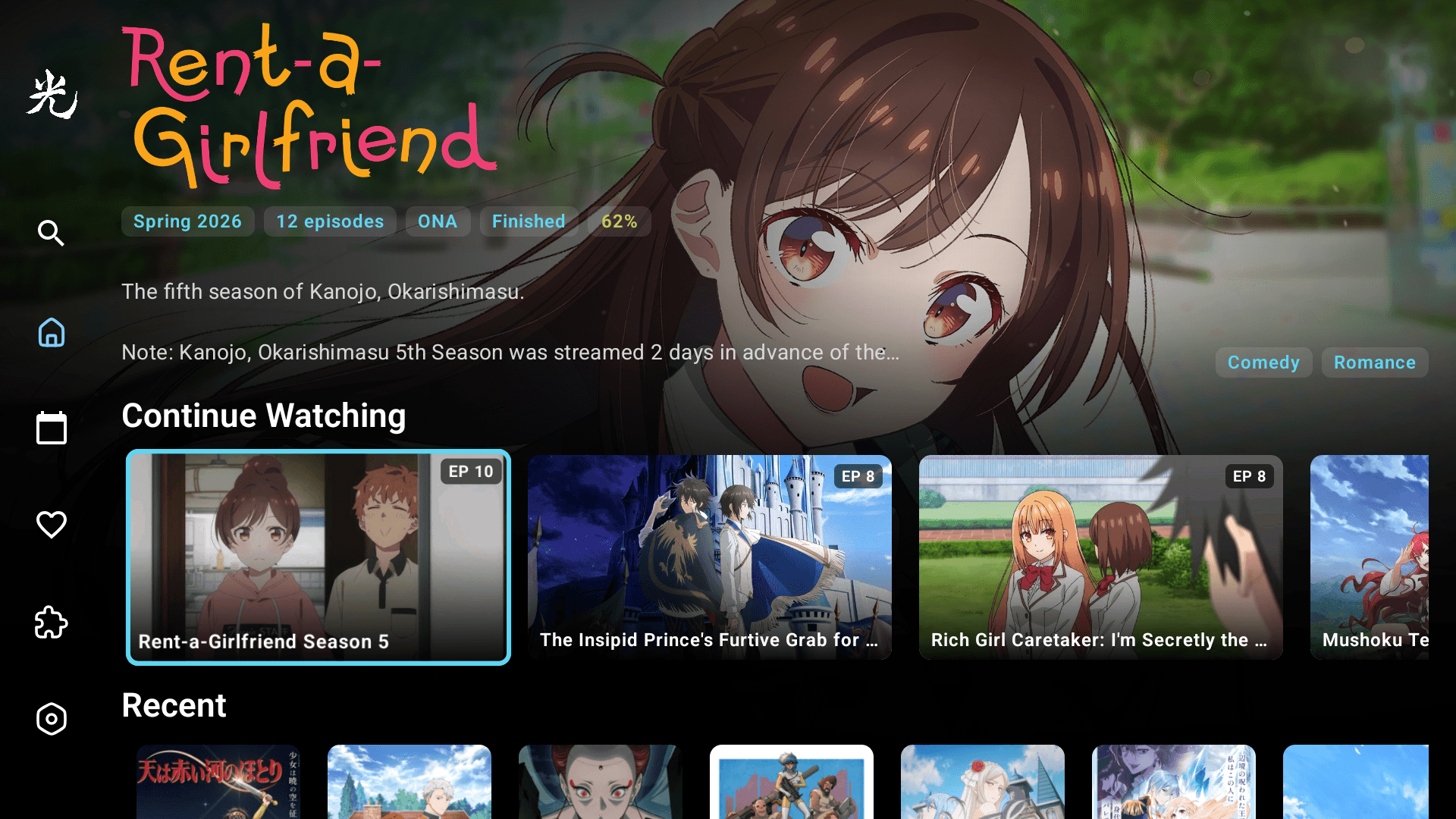
Every screen the living room needs.
Hikari was designed for one workflow: open the app, find something to watch, watch it, and pick up where you left off. Six surfaces — nothing more.
A featured-show carousel up top, your Continue Watching rail, and freshly-aired episodes — all surfaced the moment you open the app.
Voice or text search across the AniList catalogue, with filters for season, format, genre, and tags. Find what you want in two presses.
Today and the next four days, by air time. See exactly when each episode drops, with strikethroughs for shows that have already aired.
Your personal queue, sortable by recently added, A–Z, or score. Syncs straight to AniList so it's the same on every device.
Install any addon over the Hikari Addon Protocol. Bring your own sources — no hard-coded providers, ever.
Audio & subtitle preferences, auto-skip intro/outro, title language, and one-tap AniList sync via QR code from your phone. Playback runs on Media3 ExoPlayer.
Pick your platform.
Hikari isn't on the Play Store — it's a single APK. The same build runs on every Android TV / Google TV device, with a separate build for Fire TV's Amazon-flavored fork.
One APK for every Android TV and Google TV device. Tested on Sony Bravia, Xiaomi Mi Box, Chromecast with Google TV, and the NVIDIA Shield. Install directly via Send Files to TV or ADB.
Fire OS is forked Android TV. Hikari runs but isn't on Amazon's appstore — sideload using the Downloader app instead.
Ready to watch on the biggest screen in the house?
One APK. No account. No card. Sideload, connect an addon, and start watching.